
Most teams don’t have a productivity problem. They have a setup problem.
Work is spread across too many places. Files in one tool, notes in another, tasks somewhere else. You spend more time switching than actually doing the work. And the worst part is, everything you need is already there, just not connected.
That’s where AI workspace tools start making a real difference. Not by adding more features, but by cutting down the effort it takes to move through work. Tools like GPTDrive take this a step further. Instead of treating documents like something you open and close, they let you work directly with the content. You search, pull insights, and move across files without getting stuck in folders.
Once that clicks, you stop thinking in terms of tools and start focusing on the work itself.
AI Workspace Tools and Where Things Usually Break?
Most teams already have everything they need. Storage, docs, tasks, communication.
Still doesn’t feel smooth. Because none of it stays connected.
So what happens is predictable:
- The same file gets shared multiple times
- People ask for updates that already exist
- Tasks move more slowly than they should
- You keep checking things manually
AI workspace tools don’t fix everything, but they reduce this friction.
Instead of jumping between tools, things start showing up where you’re already working.
That’s the basic idea behind AI-powered workspaces.
Why AI Productivity Platforms Feel Different After a Few Days?
At first, it doesn’t feel like much. Then you notice small things.
You stop searching as much. You stop reopening the same document. You don’t ask “where is this” as often.
That’s what AI productivity platforms change.
Not in a big, obvious way. Just in how often you have to stop and check something.
- Files show up when you need them
- Small tasks don’t need reminders
- Writing and summaries take less effort
It doesn’t feel like automation. It just feels lighter.
That’s why people stick with AI productivity platforms once they get used to them.
How Collaborative Document Systems Change the Flow of Work?
Documents used to move around a lot. You create something, send it, wait, update it, send it again. With collaborative document systems, that loop changes.
The document stays in one place. People come to it instead.
- Edits happen in real time
- Comments don’t get lost in chats
- Everyone works on the same version
It removes a lot of small confusion that builds up over time.
Where Smart Team Workflows Start Cutting Friction?
A lot of delay comes from simple gaps. Not big problems. Just small misses.
Someone didn’t see the update. Someone didn’t know it was their turn.
Smart team workflows handle that quietly.
- Tasks move without someone pushing them
- People get notified at the right time
- Progress is visible without asking
You don’t feel it instantly.
You notice it when things stop getting stuck.
That’s where smart team workflows actually help.
A More Real Way to Look at GPTDrive
Most tools expect you to manage files properly.
Folders, naming, structure. If you don’t do that, things get messy.
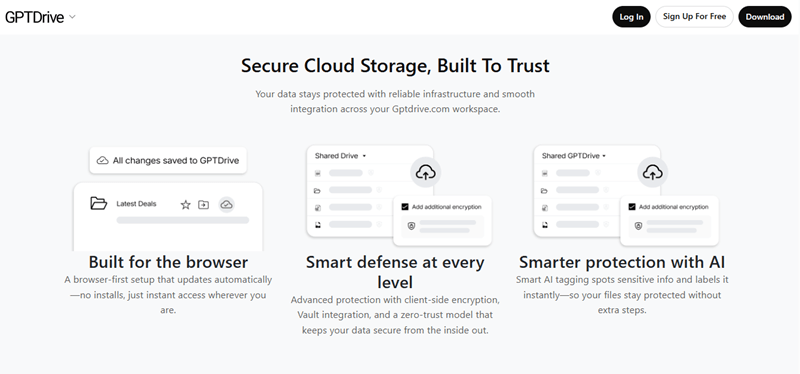
GPTDrive doesn’t depend on that as much.
You upload files, and after that, you mostly stop thinking about where they are.
You just search.
You ask for what you need. A summary, a point, a section.
Sometimes you don’t even open the full file again.
- You can pull summaries directly
- You can search inside documents without digging
- You can move across multiple files without losing context
It changes how you deal with documents. You’re not organizing them all the time. You’re using them. That’s where it fits naturally into AI-powered workspaces.
What Starts Getting Easier in Daily Work?
Nothing dramatic. Just fewer interruptions.
You don’t check three tools for one thing. You don’t repeat the same step again and again.
With AI workspace tools, things move with less effort.
You start noticing:
- Less time spent searching
- Fewer repeated actions
- Clearer sense of what’s done
That’s where AI productivity platforms actually help. Not by doing everything, but by removing small friction.
Where This Shows Up the Most?
Different teams feel it differently.
Small teams use AI workspace tools to handle more work without adding more people. Remote teams depend on AI workspaces to maintain their team connection without needing frequent meetings. Teams of greater size employ collaborative document systems to prevent versioning errors.
Project teams depend on smart team workflows to keep things moving without delays.
The pattern stays the same. Less chasing, more flow.
Where It Still Feels Incomplete?
Some parts still need attention. AI doesn’t always get context right, especially in complex work. You might still switch between tools sometimes. And the first setup takes effort. Things don’t connect automatically. It improves things, but it’s not perfect.
What Actually Matters Before You Pick One
Don’t overthink features.
Just check if it makes your work easier.
- Can you find things faster?
- Does it reduce switching?
- Does it feel simple to use?
- Does it actually connect your workflow?
If you have to think too much while using it, it won’t help.
Conclusion
Work doesn’t slow down because of effort. It slows down because of friction. Too many tools. Too many small gaps. AI workspace tools reduce that.
With AI productivity platforms, collaborative document systems, and smart team workflows, work starts to move without constant checking and follow-ups.
Tools like GPTDrive make this more practical. You don’t spend time managing files. You just get what you need from them. That’s the real difference.
FAQs
Can AI workspace tools work for teams that already use too many tools?
Yes, and that’s usually where they help the most. Instead of replacing everything, they sit on top and connect to what you already use. Over time, teams often reduce tools naturally because they stop needing separate apps for small tasks that are now handled in one place.
How does GPTDrive help when you’re dealing with multiple documents at once?
Instead of opening files one by one, you can work across them together. You can search, pull summaries, or ask for specific points without switching tabs. This makes a big difference when you’re reviewing reports, notes, or documents that are connected but stored separately.
Do AI-powered workspaces reduce the need for meetings?
Not entirely, but they lessen the redundant ones. Fewer check-in meetings are required when updates, documents, and progress are seen in a single location. It is not that teams no longer meet to make decisions, but to determine what is happening.