
Most PDFs don’t get read. They get skimmed.
You open one, scroll a bit, read something in the middle, maybe jump to the end. Then you move on, thinking you understood it. Usually, you didn’t.
This becomes obvious with longer files. Reports, research papers, internal docs. Either you spend too long reading, or you rush and miss things.
That’s where an AI PDF summarizer starts to help. Not by replacing reading, but by cutting down the effort it takes to get what matters.
AI PDF Summarizer and What It Really Does?
An AI PDF summarizer takes a long document and pulls out what’s worth paying attention to.
Not everything. Just the parts that carry meaning.
Some tools just grab sentences and stack them together. That’s not very useful.
Better document summarization tools actually reshape the content so it’s easier to follow. You’re not just seeing highlights. You’re getting a shorter version that still makes sense.
What’s Actually Being Processed Inside the PDF?
You don’t need the full technical breakdown.
However, approximately, the text analysis AI does not read the document as a whole but in blocks. It examines the relationship between sentences and the weighted parts.
Then it decides:
- What stays
- What gets trimmed
- What is rewritable?
That is why there are natural summaries and those that seem to be random lines that have been sewed together.
Where Automated Content Extraction Comes In?
Summarizing is one thing.
But sometimes you don’t even want a full summary. You just want specific parts.
That’s where automated content extraction helps.
Instead of reducing everything, it pulls things like:
- key arguments
- important numbers
- sections that actually matter
So you’re not dealing with the whole document every time.
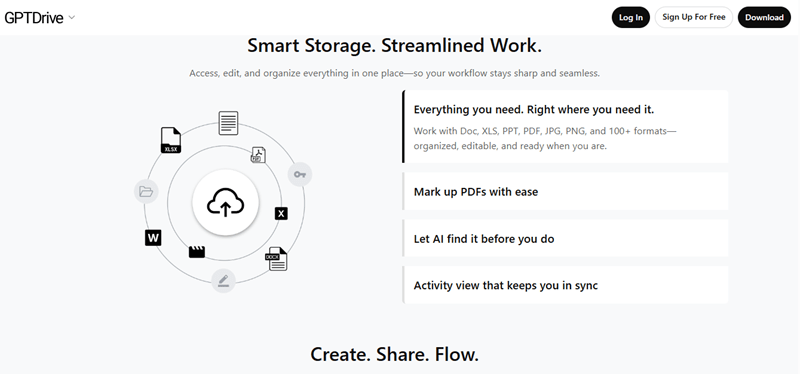
A More Practical Way to Think About GPTDrive
Most tools feel like a one-step process. Upload, summarize, done.
GPTDrive doesn’t feel like that when you use it.
You upload a document once. After that, you don’t really “open” it the same way again.
You search inside it. You pull parts from it. You ask for specific points. Sometimes you don’t even look at the full file again.
That’s the shift.
It’s not just about summaries. It’s about not having to deal with the document the usual way.
Also, working across multiple files doesn’t feel messy. You’re not jumping between tabs trying to remember where something was. You still get usable AI document insights without losing track.
How to Actually Use an AI PDF Summarizer Without Overdoing It?
Most people either rely on it too much or not enough.
Here’s a better way to use an AI PDF summarizer without turning it into another step.
Start with a full summary. Just to get the shape of the document.
Then stop.
Don’t keep reading everything. Instead, zoom into the parts that matter. This is where document summarization tools actually help.
If you need something specific, ask for it directly. Main points, conclusions, whatever you’re looking for.
That’s where text analysis AI becomes useful. You’re not reading everything. You’re pulling what you need.
And if you only care about certain sections, use automated content extraction instead of summarizing the whole file again.
Where You Actually Start Noticing the Difference?
You’ll notice it more in certain types of work.
Research is the obvious one. Long papers, too much content. An AI PDF summarizer helps you decide what’s worth reading properly.
In business, it’s about speed. Reports don’t always need full attention. You pull key points, move on.
Legal documents are a different case. They’re dense. Using AI document insights, you can find important sections faster, but you’ll still review them carefully.
Content work is more straightforward. People use document summarization tools to pull ideas and simplify long material.
Where This Actually Starts Helping in Real Work?
It’s not dramatic. It’s small things.
You spend less time scanning.
You don’t reread the same sections trying to understand them.
You stop opening the same file multiple times.
With AI document insights, the document becomes something you pull from, not something you go through start to finish every time.
Where This Still Needs You to Step In?
Some documents still need full attention.
Technical content can lose detail in summaries.
Messy PDFs don’t help either. If the structure is bad, the output won’t be great.
And if you rely on summaries blindly, you’ll miss things. That part doesn’t change.
What to Check Before You Pick Anything?
Don’t overanalyze this.
Just see if it actually works the way you expect.
- Does the text analysis AI understand the document properly
- Can it handle automated content extraction cleanly
- Does it work across multiple files
- Is it easy to use without setup
If you have to think too much while using it, it’s not worth it.
Conclusion
The problem isn’t that PDFs are hard to read. It’s that they take too long to go through properly.
An AI PDF summarizer doesn’t fix everything, but it reduces that load. With document summarization tools, text analysis AI, and automated content extraction, you don’t deal with documents the same way anymore.
Tools like GPTDrive push this further by letting you work with the content instead of just reading it once and moving on. That’s the real shift.
FAQs
Do summaries stay consistent if the same document is processed again?
Not always. It is possible that some of the tools will produce slightly different summaries every time, based on how the model prioritizes the content at that point of time. The fundamental concepts tend to remain the same, but the phrasing or focus may change slightly. This is important when you are expecting the same outputs all the time.
Can these tools handle documents with mixed languages?
Others are able to, with mixed outcomes. When a document is bilingual, then the system may summarize one language more than the other. Multilingual processing tools are more likely to work, although the accuracy remains dependent on the way the content is organized.
What happens to formatting like charts or diagrams?
The majority of the summarizers are text-oriented. Charts and diagrams are typically disregarded or transformed into simple descriptions when supported. Even when you have a document that is mostly based on visuals, you might still have to go through those parts manually in order to get the full picture.