
You don’t plan for document chaos. It just builds up.
At first, everything is easy. A few folders, some shared files, nothing complicated. Then work increases. Files get copied instead of updated. Naming becomes inconsistent. People save things wherever it feels convenient.
Now you’re not managing documents. You’re dealing with confusion.
That’s usually the point where AI document management software starts to make sense.
Why AI Document Management Software Is Getting Attention?
Most document systems were designed around storage. Save files, organize them into folders, and search when needed.
That setup depends on people doing things properly every time. That rarely happens.
AI document management software shifts that responsibility away from users. It looks inside documents and organizes them based on what they actually contain.
You don’t have to rely on naming rules or folder discipline as much.
The Real Issue With Traditional Systems
Even structured enterprise document systems run into the same problems over time:
- Files saved in multiple places
- Different versions of the same document
- Time wasted searching or asking around
- Unclear ownership of files
The system might look clean on the surface, but using it feels slow and inconsistent.
That gap is what creates friction in day-to-day work.
Features That Make a Noticeable Difference
These are the parts that actually change how you deal with documents day to day.
You Stop Managing Folder Structures
This is where things start to feel different.
Files don’t need to be manually sorted all the time.
- Documents are grouped by content
- Tags are added automatically
- The system adjusts as more files are added
You’re not fixing the structure every week.
AI File Tracking That Keeps Things Clear
As soon as documents begin to pass through people, it becomes hard to track them.
AI file tracking helps you understand what’s happening:
- Who accessed the file
- What changes were made
- Where it was shared
This reduces confusion, especially in team environments.
Digital Document Workflows That Remove Manual Steps
A lot of delays come from simple things. Someone forgot to send a file. Someone misses a step.
Digital document workflows take care of that:
- Documents move to the next step automatically
- Notifications go out without reminders
- You can check progress anytime
It removes the need to keep following up.
Search That Matches How You Think
Most people don’t remember exact file names. They remember what the file is about.
AI-based search works better because:
- It reads the document content
- It understands context
- It returns closer matches
You don’t need to guess the right keyword.
Document Lifecycle Automation That Prevents Clutter
Documents don’t need to stay active forever.
With document lifecycle automation:
- Archiving of older files is done.
- Significant ones remain available.
- Data that is not used does not accumulate.
This makes the system useful in the long run.
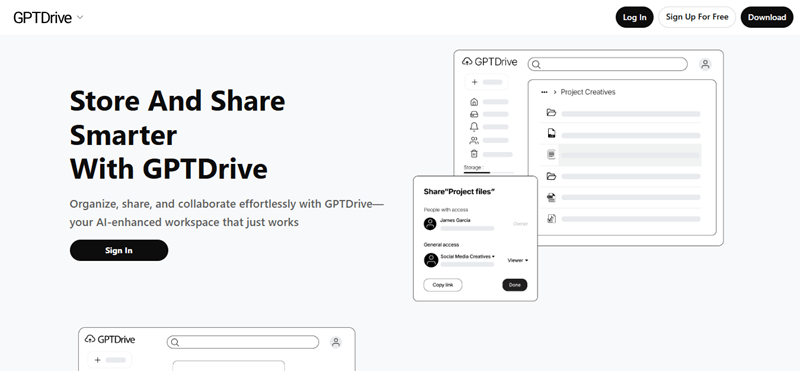
Why GPTDrive Doesn’t Feel Like Another Document Tool?
A lot of tools add features but end up making things harder to use.
GPTDrive takes a more practical approach.
- There is no manual organization of files.
- Search works everywhere.
- You do not have to establish complicated rules.
- Workflows do not have additional steps.
One thing that stands out is how it handles file content. It doesn’t just store documents. It processes them so they’re easier to find later.
You’re not constantly adjusting the system. It stays manageable on its own.
What Actually Improves in Daily Work?
You notice this stuff pretty quickly once you stop relying on folders.
You Spend Less Time Looking for Files
This is the first thing most people notice.
You are able to locate what you require more quickly than going through several folders or asking your colleagues.
It saves time on small occasions that occur during the day.
Version Confusion Drops
The use of the incorrect file is not as uncommon as people would like to believe.
AI helps reduce that by keeping things clearer:
- Fewer duplicates
- Better version visibility
- Less manual tracking
This is significant in cases where precision is needed.
Working With Others Feels Simpler
Sharing of documents between teams can become unruly.
This setup improves that by:
- Storing documents at a single location.
- Making access straightforward
- Tracking changes quietly
You do not have to check everything twice.
Security Feels Less Manual
The system manages more of it instead of establishing rules all the time.
- It notices unusual access
- It flags sensitive information
- It controls permissions
You’re not actively monitoring everything.
It Handles Growth Without Breaking Down
As document volume increases, older systems struggle.
AI document management software handles:
- Larger file volumes
- Different formats
- More users without losing structure
Things stay usable even as work grows.
How Daily Work Starts Changing Once This Is in Place
The bigger shift shows up in how work actually moves. Earlier, it was simple but slow. You create a document, send it manually, wait for someone to respond, and then follow up if nothing happens. Now, once a document is created, it moves on its own. The right people get notified, and you can see where things stand without asking around. That’s where document lifecycle automation and digital document workflows start making a real difference in day-to-day work.
Conclusion
Document problems usually come from too much manual handling, not a lack of tools.
AI document management software reduces that load by taking over repetitive tasks.
With AI file tracking, document lifecycle automation, and digital document workflows, documents stop being something you constantly organize and track.
They start staying in order without much effort.
That’s what makes the difference once things scale.
FAQs
How does AI document management software handle permissions across large teams?
Access control can easily become unruly in bigger teams. AI is useful in modifying permissions depending on roles, usage habits, and the sensitivity of documents. The system can propose or implement controls automatically rather than manually allocating access to each file. This minimizes the possibility of an individual getting the wrong document and makes things simple to the right individuals.
Can AI document management software connect with tools teams already use?
Yes, the majority of modern systems are designed to operate with the existing tools. These are CRMs, project management systems and cloud storage systems. Instead of replacing everything, AI document management software sits on top and improves how documents move between these tools. This makes it easier to keep workflows connected without switching platforms constantly.
What should you clean up before moving to an AI document system?
It is not necessary to have the ideal setup to switch, but a simple cleaning is beneficial. By eliminating the apparent duplicates, outdated files, and irrelevant data, the transition becomes easier. With that said, the benefit of AI is that it can arrange unstructured information over time, and you do not have to correct everything manually before you can get to work.